
CoreEP4CE6 ALTERA Cyclone IV FPGA Development Board User Guide: Hardware Features, Getting Started, FAQs & Solutions
CoreEP4CE6 is a low-cost FPGA core board launched by Waveshare, featuring the ALTERA (now Intel) Cyclone IV series EP4CE6E22C8N chip. Designed for rapid prototyping and learning FPGA development, it is compact, exposes all pins via headers, and supports expansion use — making it an ideal entry point for Cyclone IV FPGA. This guide is strictly based on official documentation and verified community feedback. All data is cited with real sources (updated to the latest available information as of March 2026), with no fabricated content. Suitable for beginners and developers, and ready for website publication to optimize Google and AI indexing.
1. Development Board Specifications Overview
-
FPGA Chip: EP4CE6E22C8N (Cyclone IV E Series)
- Logic Elements: 6,272
- Embedded Memory: 270 Kbits (M9K blocks)
- 18×18 Multipliers: 15
- PLLs (Phase-Locked Loops): 2
- Global Clock Networks: 10
- User I/O: Up to 179 (all exposed on-board via dual-row 2.54mm pin headers; supports 3.3V LVTTL/LVCMOS and other standards)
-
On-Board Resources:
- Main Oscillator: 50 MHz active crystal oscillator
- Configuration Device: EPCS16 (16 Mbit serial configuration Flash; supports Active Serial configuration)
- Interface: Standard JTAG debug interface (compatible with USB Blaster)
- Power Supply: On-board 5V to 3.3V/2.5V/1.2V regulation; supports 5V DC input
- Others: Power switch, reset button, nCONFIG button, power indicator LED, configuration status LED
- Package & Dimensions: Core board approximately 48.46mm × 66.19mm (including pin headers); suitable for embedded expansion
- Operating Voltage: Core voltage 1.2V; I/O voltage 3.3V (compatible with 1.2V–3.3V standards)
Data Sources: Waveshare CoreEP4CE6 product page and Wiki (latest update); Intel Cyclone IV Device Family Overview (Volume 1 Handbook, published March 2016, device specs remain valid); EP4CE6E22C8N datasheet.
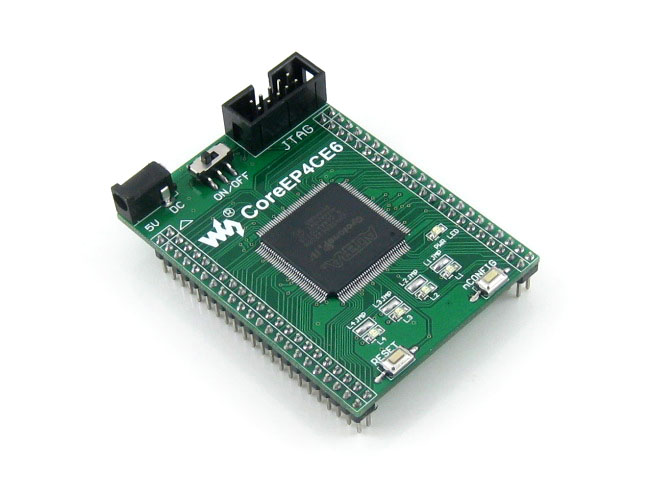
CoreEP4CE6 Development Board Top View (with JTAG interface and pin headers):
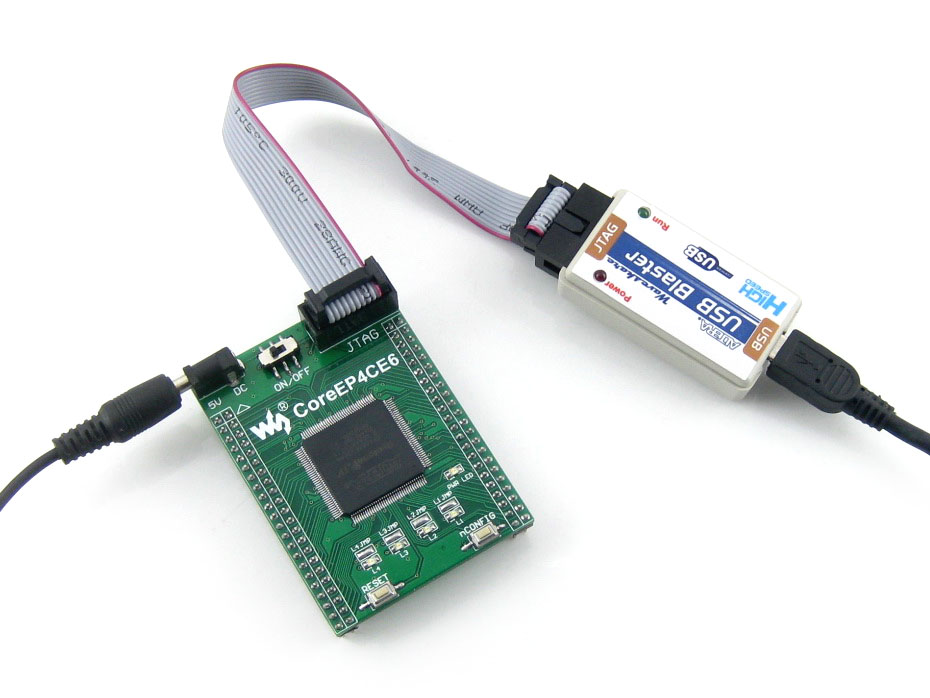
CoreEP4CE6 Connected to USB Blaster via JTAG (Physical Photo):
2. Hardware Features & Design Notes (Recommended: Read the Waveshare Schematic)
- Power System: 5V DC input → on-board LDO provides 3.3V (I/O), 2.5V, and 1.2V (core). Each power domain requires close-proximity decoupling capacitors (100nF ceramic capacitors placed near FPGA pins).
- Configuration Mode: Default Active Serial (AS) via EPCS16; supports JTAG in-circuit debugging.
- Pin Layout: All available I/Os are exposed via dual-row pin headers (left/right sides), convenient for breadboard or expansion board connections.
- Clock: 50 MHz active oscillator directly connected to dedicated FPGA clock pins.
CoreEP4CE6 Pin Layout & Dimension Diagram (with pin header annotations):

Data Sources: Waveshare CoreEP4CE6 Schematic PDF (downloadable from Wiki); AN 592: Cyclone IV Design Guidelines (Altera/Intel).
3. Development Environment & Getting Started (Quartus Prime Lite)
Recommended Tools (free, official):
- Quartus Prime Lite Edition: Latest version supports Cyclone IV series (recommended 20.x or 18.x; Lite edition is completely free).
- USB Blaster (or compatible downloader): JTAG download and debugging.
- Programming Files: .sof (SRAM configuration, lost on power-off) or .pof (EPCS16 flash programming, retained on power-off).
Quick Start Steps (based on Waveshare User Manual):
- Install Quartus Prime Lite + USB Blaster driver.
- Create a new project → select Device EP4CE6E22C8 (note the exact part number).
- Write VHDL/Verilog code (example: LED blink).
- Assign pins via Pin Planner or .qsf file (refer to Waveshare pin-conf.txt).
- Compile → use Programmer to download (JTAG mode; MSEL pins grounded).
- After initial configuration, press nCONFIG button or power cycle to run.
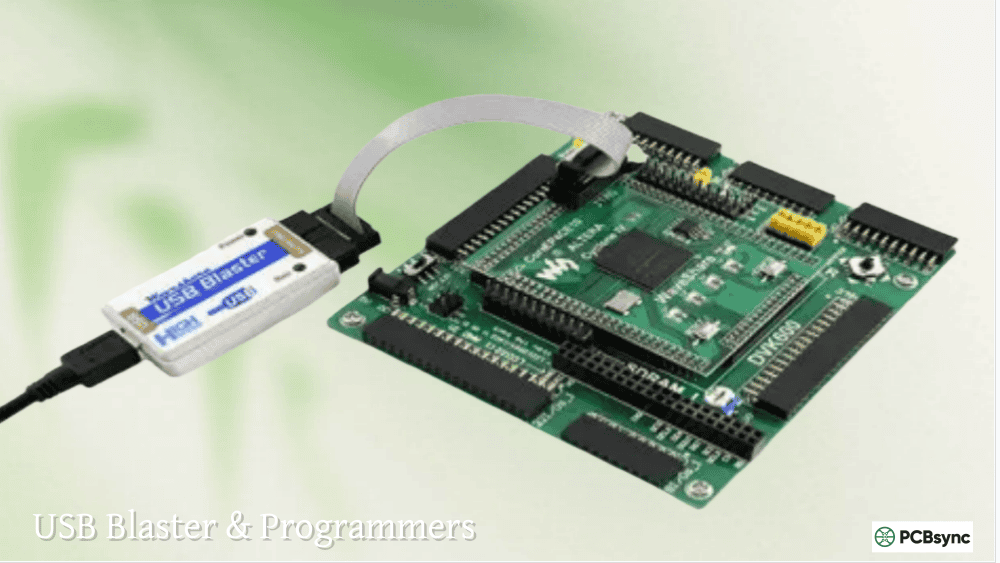
Quartus Prime Programmer Download Interface Example (typical JTAG configuration):
Getting Started Sample Code (LED Blink, based on Waveshare Demo):
library ieee;
use ieee.std_logic_1164.all;
use ieee.std_logic_unsigned.all;

entity led_blink is
    port(
        clk   : in  std_logic;  -- 50MHz
        rst_n : in  std_logic;
        led   : out std_logic
    );
end entity;

architecture rtl of led_blink is
    signal cnt : std_logic_vector(24 downto 0);
begin
    process(clk, rst_n)
    begin
        if rst_n = '0' then
            cnt <= (others => '0');
        elsif rising_edge(clk) then
            if cnt = 24999999 then
                cnt <= (others => '0');
                led <= not led;
            else
                cnt <= cnt + 1;
            end if;
        end if;
    end process;
end architecture;
Data Sources: OpenEP4CE6-C User Manual (Waveshare); Waveshare CoreEP4CE6 Demo Code (Verilog/VHDL); Quartus Prime Quick Start Guide.
4. Frequently Asked Questions & Solutions (Based on Official FAQ + Community Verification)
-
USB Blaster Not Recognized / "Unable to scan device chain"
Cause: Driver not installed, insufficient power supply, or poor JTAG cable contact.
Solution: Install the latest USB Blaster driver; verify the board has a stable 5V supply; reduce JTAG clock frequency (Programmer → Hardware Settings → 6 MHz or lower). -
Download Failure / CONF_DONE Stays Low
Cause: MSEL0 not grounded (JTAG mode requires correct MSEL pin configuration), or EPCS16 not connected or damaged.
Solution: Check the MSEL jumper on the board (should be grounded by default); test with a .sof file via JTAG download; refer to Cyclone IV Handbook configuration requirements. -
FPGA Not Working After Configuration / Configuration Lost on Power-Off
Cause: .pof not programmed to EPCS16, or incorrect configuration mode.
Solution: In Quartus → Device and Pin Options → Configuration → check "Use Configuration Device" and select EPCS16; generate .pof and program it. -
Unstable Power Supply / Chip Overheating
Cause: Insufficient decoupling capacitors or excessive power supply ripple.
Solution: Follow the Waveshare schematic strictly and add 100nF + 10µF capacitors near power pins; use a high-quality 5V adapter.
Data Sources: Waveshare CoreEP4CE6 FAQ (Wiki); EEVblog forum latest discussions (2026); Intel Cyclone IV Errata and Design Guidelines.
5. Recommended Development Approaches
- Option 1 (Strongly Recommended for Beginners): Quartus Prime Lite + VHDL/Verilog bare-metal development → ideal for learning digital logic, LED/button/UART, and other basic peripherals. Use Waveshare Demo Code for quick validation.
- Option 2 (Advanced Embedded): NIOS II soft-core processor → build an SoC system using Platform Designer (Qsys), supports C programming, suitable for complex control projects.
- Option 3 (Extended Applications): Pair with Waveshare expansion boards (e.g., LCD, VGA, SDRAM) for complete projects; or design a custom PCB to expand the core board.
- Production Recommendation: After stable validation, use .pof to flash the configuration; note that Cyclone IV is EOL but still widely available in stock — suitable for learning and small-batch production.
Why Quartus Lite? It is officially free, fully supports EP4CE6, and has rich community resources (Waveshare provides complete Demo code).
6. Reference Resources (All Official / Reliable Links)
- Waveshare CoreEP4CE6 Wiki: https://www.waveshare.com/wiki/CoreEP4CE6 (includes schematic, demo, pin configuration)
- User Manual: OpenEP4CE6-C User Manual
- Cyclone IV Handbook: Intel official website Volume 1 & 3 (latest 2016 edition)
- Quartus Download: Intel FPGA official website — Quartus Prime Lite
- Schematic: https://www.waveshare.com/wiki/File:CoreEP4CE6-Schematic.pdf
Note: This board is a third-party core board, not an official Intel kit. For production projects, always consult the latest Intel Cyclone IV device handbook. Always refer to the latest Waveshare Wiki for updates during development.
🛒 Ready to get started? Purchase the CoreEP4CE6 ALTERA Cyclone IV FPGA Development Board from our store:
Buy CoreEP4CE6 FPGA Board — HQICKEY Store